
Routes
Avoiding Vietnam’s CT Roads: Google Maps for Motorcycles
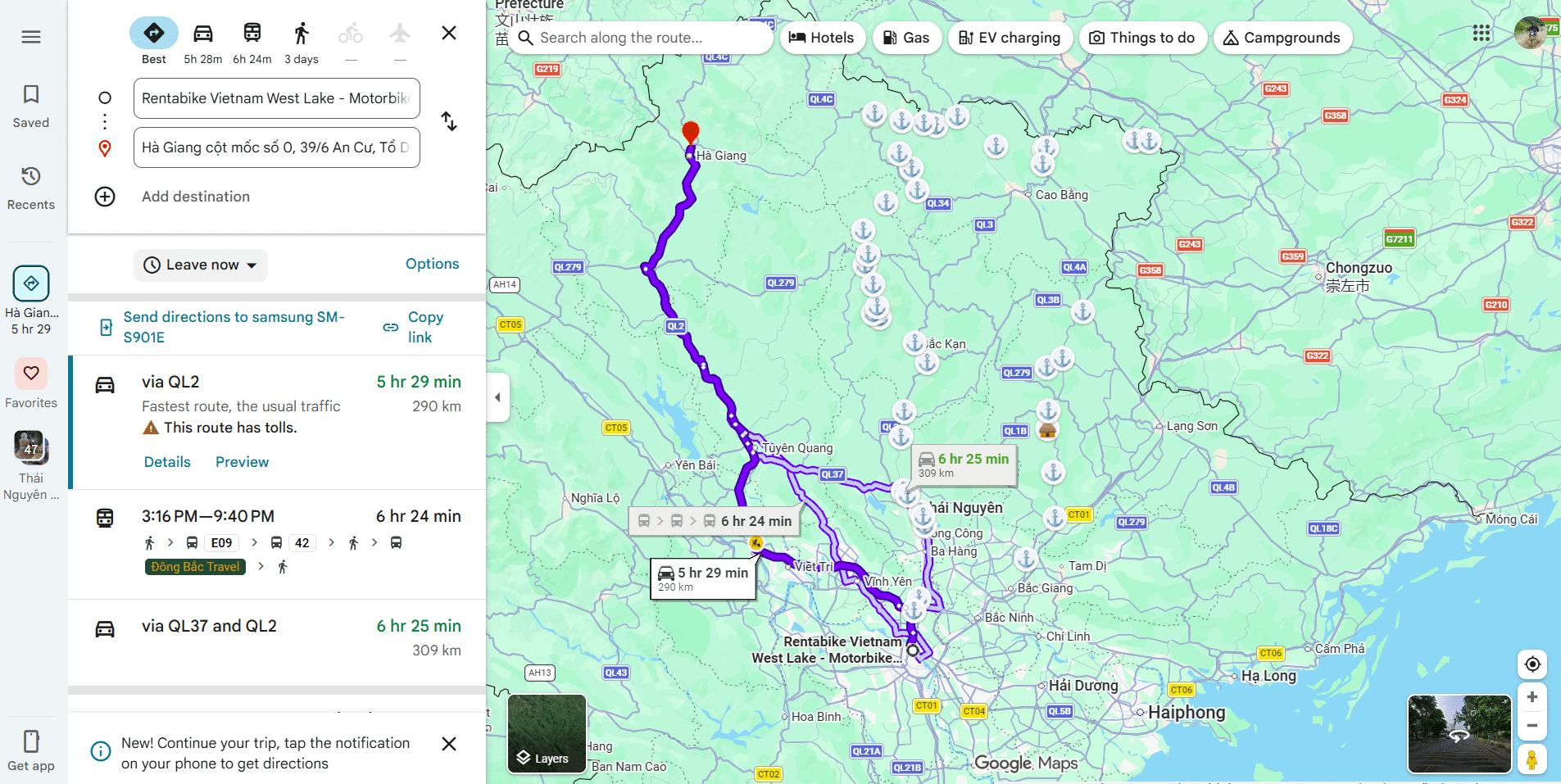
Google Maps is useful for motorcycle travel in Vietnam, but it should not be treated as the final authority on which roads you can legally use. The main problem is simple: a route that looks fast and obvious for a car can include an expressway that ordinary motorcycles are not allowed to enter.
The fix is not complicated. Use motorcycle directions where they are available, check the route before you leave and treat real road signs as more important than the app. This guide shows the setup we use and the warning signs that tell you Google Maps may be sending you somewhere unsuitable.
What are “CT” Roads?
In Vietnam, expressways are often shown with CT route numbers. You will see labels such as CT01 or CT08 on maps, and these are exactly the roads that should make a motorcycle rider stop and check the route.
The important distinction is that the map label itself is not the law. Google Maps can use confusing or inconsistent road labels, and some ordinary roads have appeared with CT-style labels in mapping data. What matters on the road is whether you are approaching an expressway or another road where motorcycles are prohibited.
Ordinary Motorcycles Are Not Allowed on Expressways
Under Vietnam’s current traffic rules, ordinary motorcycles and mopeds are not permitted to enter expressways, except for vehicles being used for expressway management or maintenance.
The current penalty is serious. Under Decree 168/2024/NĐ-CP, a motorcycle rider entering an expressway can be fined 4–6 million VND and have six points deducted from the driving licence.
That is why this is more than a navigation preference. A bad route choice can put you onto a road where the surrounding traffic is moving much faster and where your motorcycle should not be in the first place.
Do Not Judge the Road by the CT Label Alone
A CT label on the screen should trigger a check, but do not build a rule that says “every road with CT written on Google Maps is forbidden”. Mapping labels can be imperfect, old or applied in ways that do not match what you see on the ground.
Look at the road itself. Expressway-style entry ramps, controlled access, signs restricting motorcycles and the official road signs at the junction matter more than the colour or abbreviation shown by the app.
Set Up Google Maps for a Motorcycle
Use Motorcycle Mode Where It Is Available
On the Google Maps mobile app, choose the motorcycle/two-wheeler option when it is available. Google says this mode is designed to route riders away from roads where two-wheelers are not permitted.
The feature is mobile-only and is not available everywhere, so do not assume every phone or account will show the motorcycle icon. If it is there, use it; if it is not, move to the fallback below.
If Motorcycle Mode Is Missing
Do not spend half an hour changing phone settings beside the road. Use a normal driving route, open Route Options and switch on Avoid highways. Google also recommends Avoid tolls for smaller motorcycles when using driving directions.
This is a fallback rather than a guarantee. Before riding, zoom out and then back in along the first part of the route and check that the line does not suddenly jump onto a large controlled-access road.
Avoid Highways Is the Important Setting
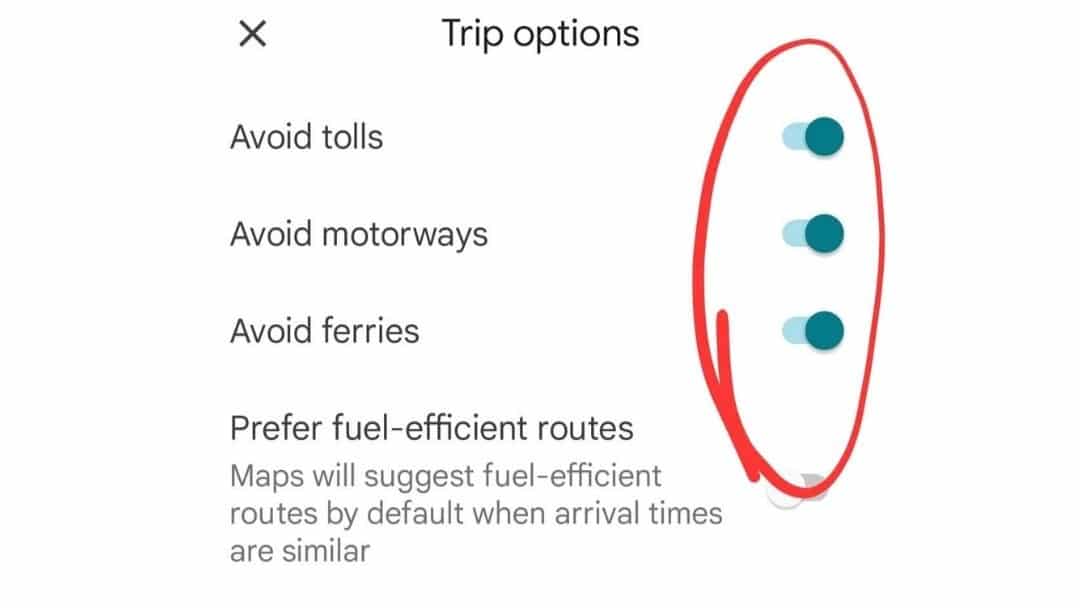
For this problem, Avoid highways matters more than finding the absolute fastest journey time. When you turn it on, Google Maps may add time or distance because it is moving you away from expressways and onto national, provincial or local roads.
That is usually exactly what you want on a motorcycle. A route that becomes fifteen or twenty minutes longer after removing an expressway is not “worse”; it may simply be the first route that is actually usable.
Avoid Tolls and Ferries Are Optional
Avoid tolls can sometimes help keep a route away from roads designed mainly for larger vehicles, but it is not the main safety switch. Avoid ferries should only be used when you genuinely want to exclude ferry crossings.
In many parts of Vietnam a ferry can be a perfectly useful motorcycle connection, so do not switch options on automatically without thinking about the journey you are trying to make.
Check the Route Before You Ride
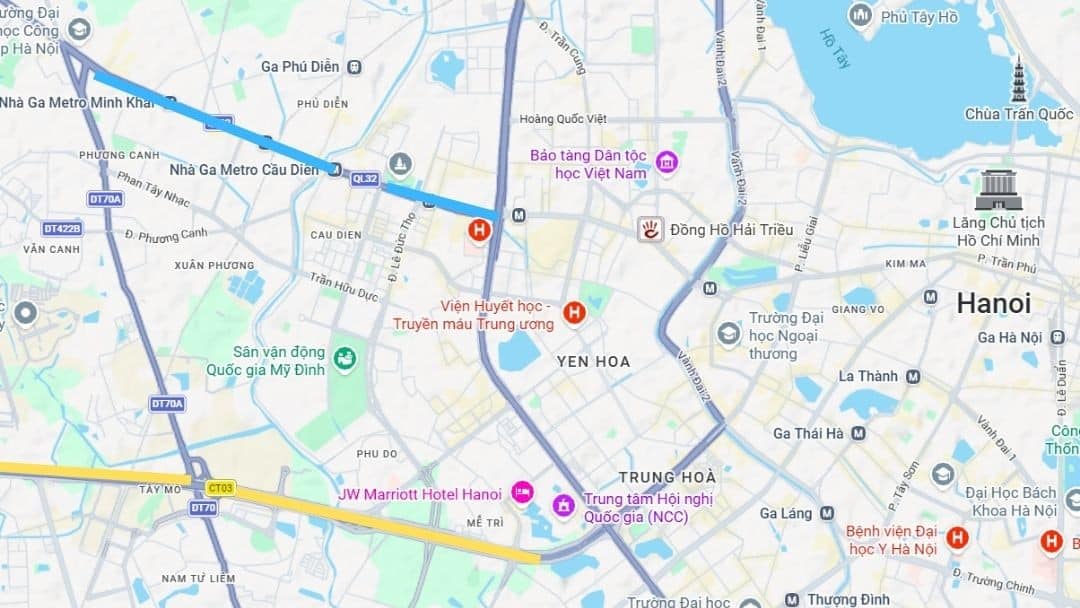
Do a Visual Scan
Do not press Start and put the phone in the mount immediately. Look at the whole route first, then inspect the first twenty or thirty kilometres and any section where the road suddenly becomes much faster or wider.
If the route is pulling you onto a major controlled-access road, stop and change it before you are standing at an entrance ramp with traffic behind you.
Use Waypoints to Hold the Route
Google Maps will often recalculate when traffic changes or when you miss a turn. If there is a particular road or town you know the motorcycle route should pass through, add it as a waypoint so the app has less freedom to invent a different corridor.
This is particularly useful when leaving large cities. Our Hanoi route maps already use motorcycle-suitable corridors, so start with the map and then use Google Maps to navigate the chosen route rather than asking the app to design the whole trip for you.
Road Signs Beat the Screen
Google Maps is a navigation aid, not permission to use a road. If the sign at the entrance says motorcycles are prohibited, do not enter because the blue line tells you to.
The same rule works in reverse. If the mapping label looks strange but the road is clearly a normal mixed-traffic road and the signs allow motorcycles, the real-world traffic organisation is more useful than an imperfect map label.
What to Do If Google Maps Still Gets It Wrong
Stop Before the Ramp
If you realise the route is trying to put you onto an expressway, do not continue to the entrance and hope it sorts itself out. Pull over somewhere safe before the junction, zoom in and choose a different road.
Large interchanges can make the correction much harder once you are committed to a ramp, especially with luggage or in heavy traffic.
Choose the Parallel Road
Many expressway corridors have a national road, service road or local route running roughly parallel to them. The alternative may be slower, but that is normally the correct motorcycle route.
On a touring motorcycle, the slower road is often better anyway. It gives you petrol, food, towns, repair shops and places to stop rather than fencing, ramps and high-speed traffic.
Do Not Follow Another Rider Blindly
Seeing local motorcycles near an expressway entrance does not prove the main road is legal for you. They may be using a service road, a local access lane or a separate motorcycle route that is difficult to see on the map.
Follow the signs and the road layout, not the assumption that another rider must know where you are going.
Use Route Maps for the Journey, Google Maps for Navigation
The easiest way to avoid bad navigation is to separate two jobs. First decide the route you actually want to ride; then use Google Maps to help you follow it.
Our Vietnam motorcycle route maps are built as A-to-B riding stages with motorcycle-usable roads, alternatives, stops and route notes. They are designed to answer “Which road should I take?” Google Maps is better used afterwards to answer “Where is my next turn?”
If you are leaving Hanoi and have not yet chosen the first corridor or overnight stop, start with our How to Get Out of Hanoi by Motorcycle – Best Routes guide. Once you know the destination, open the relevant route map and then set Google Maps around that route.
This also reduces the temptation to accept the fastest car route simply because it appears first on the screen. On a motorcycle trip, legal access, road character and where the route actually takes you matter more than shaving a few minutes off an estimated arrival time.
FAQ
Can motorcycles use expressways in Vietnam?
Ordinary motorcycles and mopeds are not allowed on Vietnam’s expressways. Current regulations provide an exception for vehicles being used for expressway management or maintenance, not for normal touring or rental motorcycles. For the wider licensing and road-law position, see our guide to driving a motorcycle legally in Vietnam.
What is the fine for riding a motorcycle on a Vietnam expressway?
Under Decree 168/2024/NĐ-CP, riding a motorcycle onto an expressway carries a fine of 4–6 million VND. The offence also carries a six-point deduction from the driving licence.
Is every road marked CT on Google Maps forbidden to motorcycles?
No. A CT label should make you check carefully, but map labels can be inconsistent. The legal question is whether the road is an expressway or another road where motorcycles are prohibited. Follow the actual road signs and traffic organisation.
Is Google Maps motorcycle mode enough?
It is the best place to start where it is available, and Google says it is designed to avoid roads that do not allow two-wheelers. It is still sensible to check the route visually before riding and follow real road signs if the app and the road disagree.
What should I do if motorcycle mode does not appear?
Use normal driving directions, switch on Avoid highways and check the proposed route carefully before starting. Google’s own help also recommends Avoid tolls for smaller motorcycles using driving directions. For longer journeys, compare the result with our Vietnam motorcycle route maps before you set off.
Plan the Route First, Then Navigate It
Google Maps is excellent at helping you follow a route, but it should not be deciding the entire motorcycle trip on its own. Use motorcycle mode where available, avoid highways when you need a fallback and inspect the route before you leave.
Most importantly, watch the road. If signs prohibit motorcycles, do not enter simply because the app tells you to. Start with a motorcycle-suitable route, use Google Maps for the turns and you remove one of the easiest navigation mistakes to make in Vietnam.